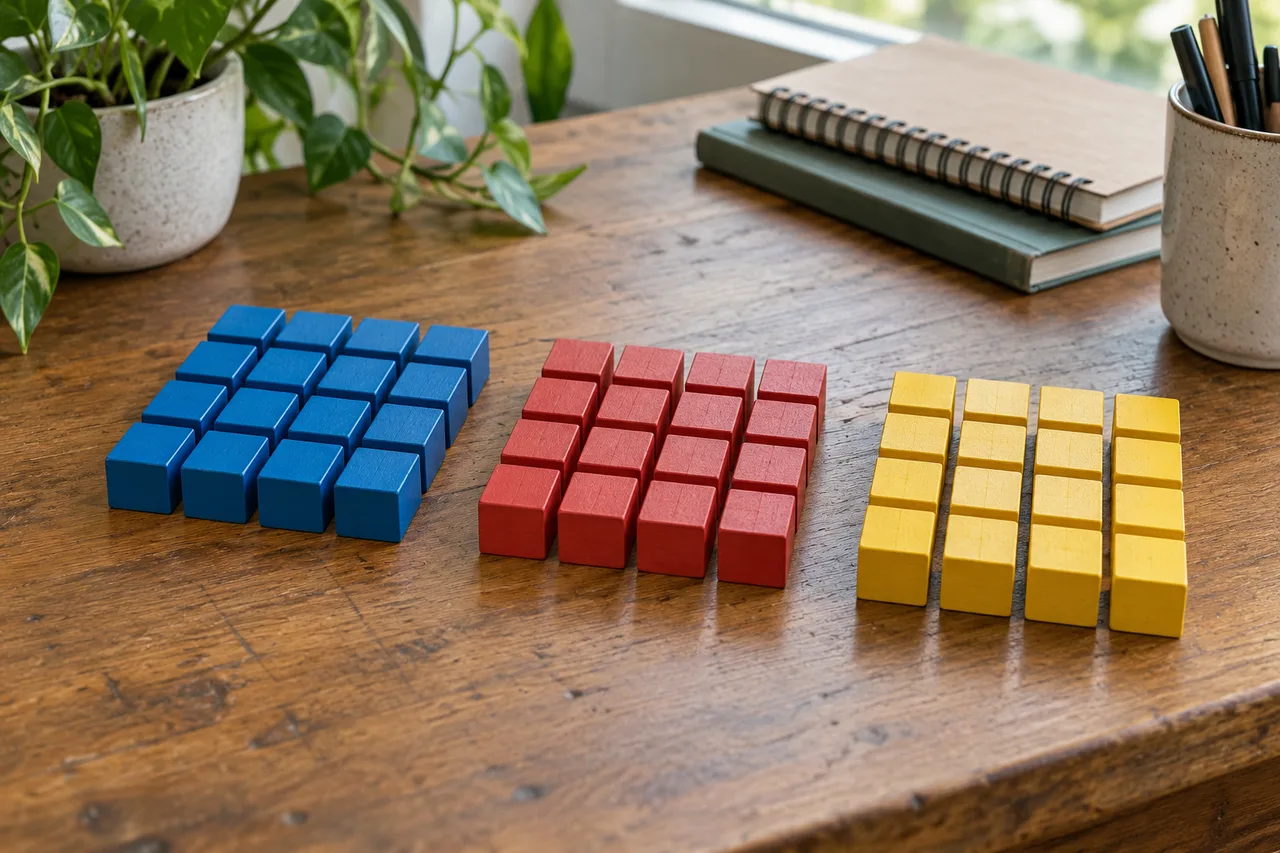
48 in hexadecimal is 30, commonly written 0x30 in programming. The conversion is exact: decimal 48 contains three groups of sixteen and zero units left over. Nothing is rounded, and the underlying quantity stays forty-eight.
The notation can be confusing because the answer looks like an ordinary decimal number. Without a base label, 30 usually means thirty. With a hexadecimal label, it means three sixteens, which equals forty-eight. Likewise, the digits 48 can represent a different value when they are already being read as hex.
Below, you can check the answer by division, reverse it using place values, and confirm it through binary. The practical examples also distinguish the number 48 from the text "48", so you can choose the right conversion method in a calculator or a program.
The Answer with Both Bases Labeled
48₁₀ = 30₁₆ = 0x30. Divide 48 by 16 to get a quotient of 3 and a remainder of 0. Those become the hexadecimal digits 3 and 0. The reverse calculation is 3 × 16 + 0 = 48, confirming that the converted value is unchanged.
Convert 48 by Repeated Division
For a decimal to hexadecimal conversion, divide the whole number by sixteen and keep the integer quotient and remainder. Continue with the quotient until it reaches zero, then read the remainders in reverse order.
Division | Integer Quotient | Remainder |
48 ÷ 16 | 3 | 0 |
3 ÷ 16 | 0 | 3 |
Read the remainder column from the bottom upward: 3, then 0. The result is 30 in base 16.
The first remainder becomes the rightmost digit because it describes the units left after removing complete groups of sixteen. The next remainder describes the sixteens position. Recording them in the order they were produced would give 03, which is not the required result.
The stopping condition matters too. After the first division, the quotient is 3. You must keep that value as the next digit rather than writing only the remainder zero. The second row shows the full process, even though this small example can be solved mentally.
For larger numbers, the method continues through more rows. For this input, two rows are enough because the value is below 256, the first whole number requiring three hexadecimal positions.

See Why the Digits Are 3 and 0
Decimal notation uses powers of ten. Hexadecimal notation uses powers of sixteen. In a two-digit hexadecimal number, the left position counts sixteens and the right position counts ones.
For the result 30, the calculation is:
(3 × 16¹) + (0 × 16⁰) = 48 + 0 = 48
The two digits are doing different jobs. The 3 says there are three complete groups of sixteen. The 0 says no additional units are needed.
This also explains why you cannot drop the final zero. Hexadecimal 3 is decimal three, while hexadecimal 30 is decimal forty-eight. A zero at the end changes place value, even though it contributes nothing directly in its own position.
A zero added at the beginning is different. Hexadecimal 030 has the same unsigned numeric value as 30; it simply displays an extra position. Whether to preserve that extra width depends on the format you are filling.
Reading the result backward into decimal is a useful error check. If the weighted sum does not return the original value, the digits, their order, or the assumed input base need attention.
Confirm the Result Through Binary
Decimal 48 can be built from powers of two:
48 = 32 + 16
That gives the unsigned binary representation 110000. To map it to hexadecimal, group the bits in fours from the right. Pad the leftmost group with zeros:
110000 → 0011 0000
The group 0011 represents 3, and 0000 represents 0. Together, they give hexadecimal 30.
Number System or Format | Representation of Forty-Eight |
Decimal, base 10 |
|
Hexadecimal, base 16 |
|
Hexadecimal with prefix |
|
Binary, minimum unsigned width |
|
Binary, eight-bit display |
|
Octal, base 8 |
|
Six bits are enough for the unsigned value because five bits can represent at most 31, while six can represent values up to 63. An eight-bit byte display adds two leading zeros without changing the number.
These are different representations of one quantity, not different measurements. Octal 60, for example, does not mean sixty in decimal. Its value is six groups of eight, which is forty-eight. Keep the base attached whenever a representation could be mistaken for ordinary decimal text.
Decimal 48 and Hex 48 Are Different Inputs
A conversion tool needs to know which base the input uses. The digits alone do not supply that information.
If 48 is a decimal input, its hexadecimal output is 30. If the same digits are already hexadecimal, the decimal result is:
(4 × 16) + 8 = 72
The following comparisons separate the two directions:
Input | Meaning | Converted Value |
Decimal | Forty-eight | Hexadecimal |
Hexadecimal | Four sixteens plus eight | Decimal |
Hexadecimal | Three sixteens | Decimal |
Decimal | Thirty | Hexadecimal |
All four entries are valid. A calculator returning 72 may be performing hex-to-decimal conversion correctly while solving the wrong task for your input.
Use a subscript, a column heading, or a recognized prefix to avoid ambiguity. 48₁₀, 30₁₆, and 0x30 make the intended meaning clear. In code, ordinary integer literals generally use decimal unless a different base is specified by the language's notation.
The Number 48 Is Not the Text String "48"
An integer and a text string require different operations. Numeric conversion rewrites a quantity in another base. Text encoding assigns byte values to the characters that spell it.
For the ASCII string "48", the two characters have these codes:
Character | ASCII Decimal Code | Hexadecimal Byte |
| 52 |
|
| 56 |
|
Encoding the string therefore gives 34 38, or 3438 without separators. It does not give the numeric result 30.
There is another relationship worth recognizing: the ASCII code for the character 0 is decimal 48, whose hex representation is 30. Therefore, a byte containing 0x30 can represent the digit zero when interpreted as ASCII text.
That does not mean the byte always means a text character. If a protocol defines it as a numeric field, the same byte can hold the unsigned integer forty-eight. The data format determines its meaning.
Before choosing a converter, ask whether the source is a number, a sequence of text characters, or a character code. A decimal-to-hex tool and a text-to-hex tool can both work correctly while returning different results for what visually looks like the same input.
Check the Conversion in Python and JavaScript
Use integer formatting when the input is the number forty-eight. Avoid text-encoding methods unless you intend to process its written characters.

Python: Format an Integer in Base 16
value = 48
print(hex(value))           # 0x30
print(format(value, "X"))   # 30
print(format(value, "04X")) # 0030
print(int("30", 16))        # 48
The built-in hex() function includes the prefix. The X format omits it, while 04X requests at least four displayed positions with zero padding. Since this result has no alphabetic digits, uppercase and lowercase formatting look identical.
If the source arrives as decimal text, parse that text as a number before formatting:
source = "48"
number = int(source, 10)
print(format(number, "X"))  # 30
print(source.encode("ascii").hex())  # 3438
The last line deliberately shows the different text-encoding operation.
Formatting a number is not the same as choosing its storage layout. A four-position string such as 0030 does not automatically create a two-byte integer. If you need bytes for a file or device, choose the field width and byte order separately:
print((48).to_bytes(2, byteorder="big").hex())     # 0030
print((48).to_bytes(2, byteorder="little").hex())  # 3000
Both sequences can store the integer forty-eight under their respective byte-order rules. Reading them with the opposite rule gives a different value. For a one-byte unsigned field, the value is simply byte 30; there is no multibyte order to choose. Check the receiving format before copying a formatted string into a binary field.
JavaScript: Specify the Radix
const value = 48;
console.log(value.toString(16));     // 30
console.log("0x" + value.toString(16)); // 0x30
console.log(parseInt("30", 16));     // 48
console.log(parseInt("48", 16));     // 72
The radix argument identifies the base. Formatting uses radix 16 to produce hexadecimal; parsing uses it to interpret an existing hexadecimal string. These operations go in opposite directions.
For application input, validate the complete string according to the expected numeric format. JavaScript's parseInt() can stop at an invalid character rather than reject the entire input, so successful parsing alone is not a strict validation check.
Use a Calculator with the Correct Direction Selected
A 48 to hex lookup should start in decimal mode and end in hexadecimal mode. This applies to a programmer calculator, a web converter, or a number-base tool in an editor.
- Set the input base to decimal or
DEC. - Enter
48without quotation marks or extra punctuation. - Choose hexadecimal or
HEXas the output base. - Confirm the output is
30, possibly with a0xprefix. - Reverse the conversion to check that it returns decimal 48.
A text converter may instead produce 3438. A calculator already in hex mode may interpret your entry as decimal 72. Neither result establishes an arithmetic error until you inspect the selected operation.
Also check whether the tool is showing several bases at once. A row labeled HEX: 30 and another labeled DEC: 48 describe the same value. Copy the value together with its label when passing it to someone else.
If a worksheet asks for a two-digit hexadecimal answer, enter 30. If a code example expects an integer literal, 0x30 may be appropriate. If a form requests decimal input, enter 48; changing its base without changing the label creates a different input.
Recognize the Nearby Counting Pattern
A short decimal-to-hex table helps show why the result ends in zero:
Decimal | Hexadecimal |
45 |
|
46 |
|
47 |
|
48 |
|
49 |
|
50 |
|
51 |
|
At decimal 47, the hexadecimal units position is F, the largest possible digit value. Adding one resets that position to zero and carries one into the sixteens position. The count moves from 2F to 30.
The carry does not require a new third position. It only increments the left digit from 2 to 3. This local pattern is useful when checking an address offset, a sequence counter, or a conversion exercise around a base-16 boundary.
Questions Readers Ask About This Conversion
Why is 48 in hexadecimal written as 30?
Hexadecimal groups whole numbers by powers of sixteen. Forty-eight is exactly three groups of sixteen, with no units remaining, so its digits are 3 and 0. Read the answer as “hex thirty” or “three-zero in base sixteen” when needed, rather than assuming it means decimal thirty.
Does 0x30 mean the same thing as 30?
It means the same thing as 30 explicitly labeled hexadecimal. It does not mean the same thing as ordinary decimal 30. The 0x prefix identifies base 16 in many programming languages and tools. Its numeric value is forty-eight; the prefix is notation rather than two extra digits of the value.
Can a hexadecimal answer contain only numbers and no letters?
Yes. Letters A–F are needed only for digit values ten through fifteen. The result 30 uses digit values three and zero, so no letters are required. A numeral does not need alphabetic characters to be hexadecimal; its base is established by a label, prefix, or the surrounding context.
Is 48 also a valid hexadecimal number?
Yes, because both 4 and 8 are valid base-16 digits. Interpreted as hexadecimal, 48 equals decimal 72. That is a different starting value from decimal forty-eight. Specify the source base whenever you ask for a conversion, especially when the number contains only digits shared by both systems.
What character has ASCII decimal code 48?
ASCII decimal code 48 identifies the character 0. Its hexadecimal code is 30. This is a character-code lookup, not a statement that the number forty-eight is numerically zero. The characters 4 and 8, used together to spell "48", have two separate codes: hexadecimal 34 and 38.
How many bits are required to represent decimal 48?
The minimum unsigned binary representation uses six bits: 110000. A byte-oriented display normally pads it to eight bits as 00110000. Six bits are enough only under the unsigned interpretation; a signed two's-complement field needs enough width for a sign bit as well. The displayed width should match the data format.
How is negative 48 written in hexadecimal?
As a signed mathematical value, it can be written -0x30. In an eight-bit two's-complement field, its bit pattern is D0, obtained from 256 minus 48, which equals 208. These forms serve different purposes. A fixed-width bit pattern requires the width and signed interpretation to be specified.
Keep the Base Attached to the Result
The answer to 48 in hexadecimal is 30, or 0x30 where that prefix is supported. Label the input as decimal, preserve any required output width, and distinguish numeric conversion from text encoding. Those checks prevent a correct calculation from being applied to the wrong kind of data.